Delivery Process & Customer Handover
Grubdeli Delivery Rider App

Benjamin Mathew
Last Update 6ヶ月前
Step-by-step guide to completing deliveries and handing orders to customers.
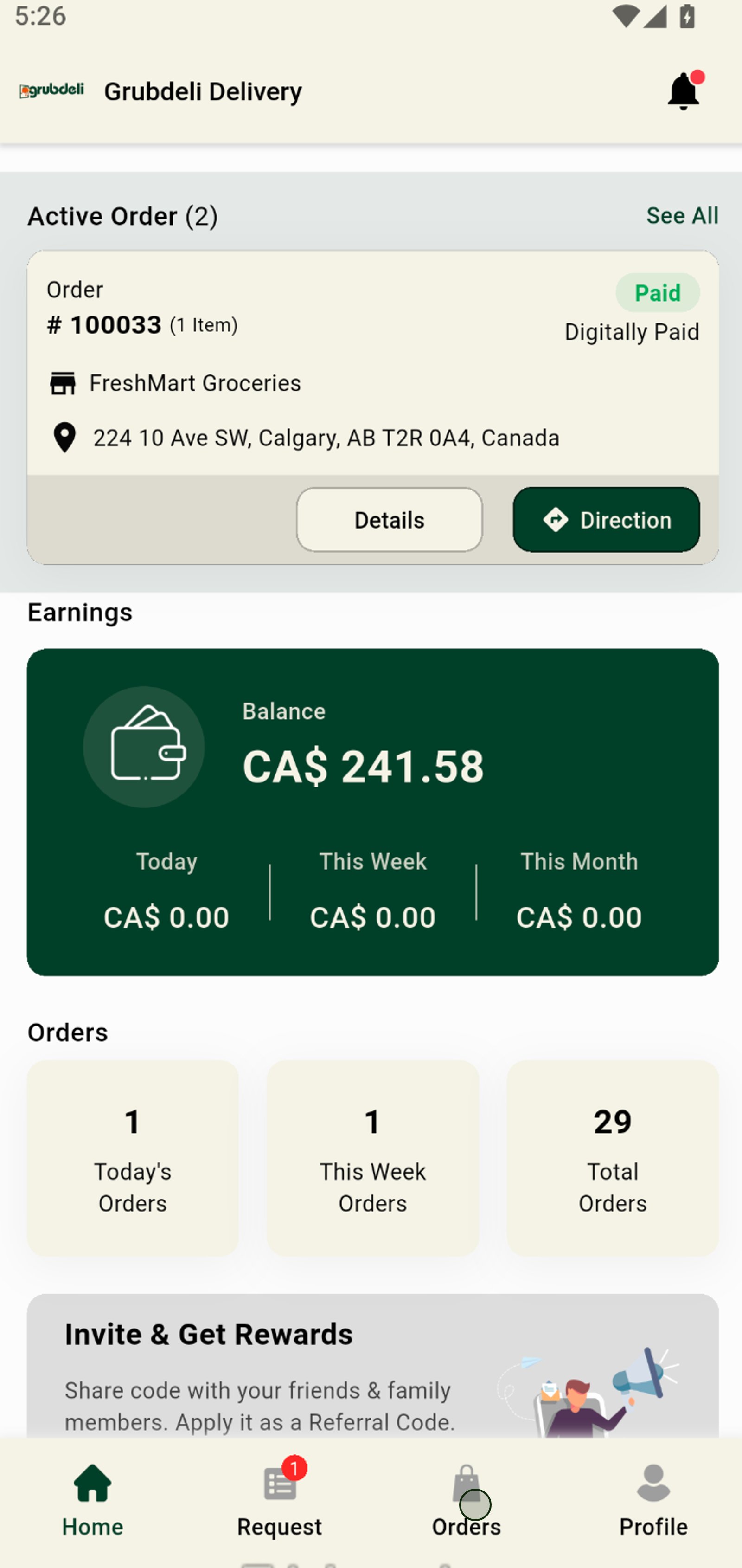
1. Tap the Orders tab to access and manage all your deliveries in one place.
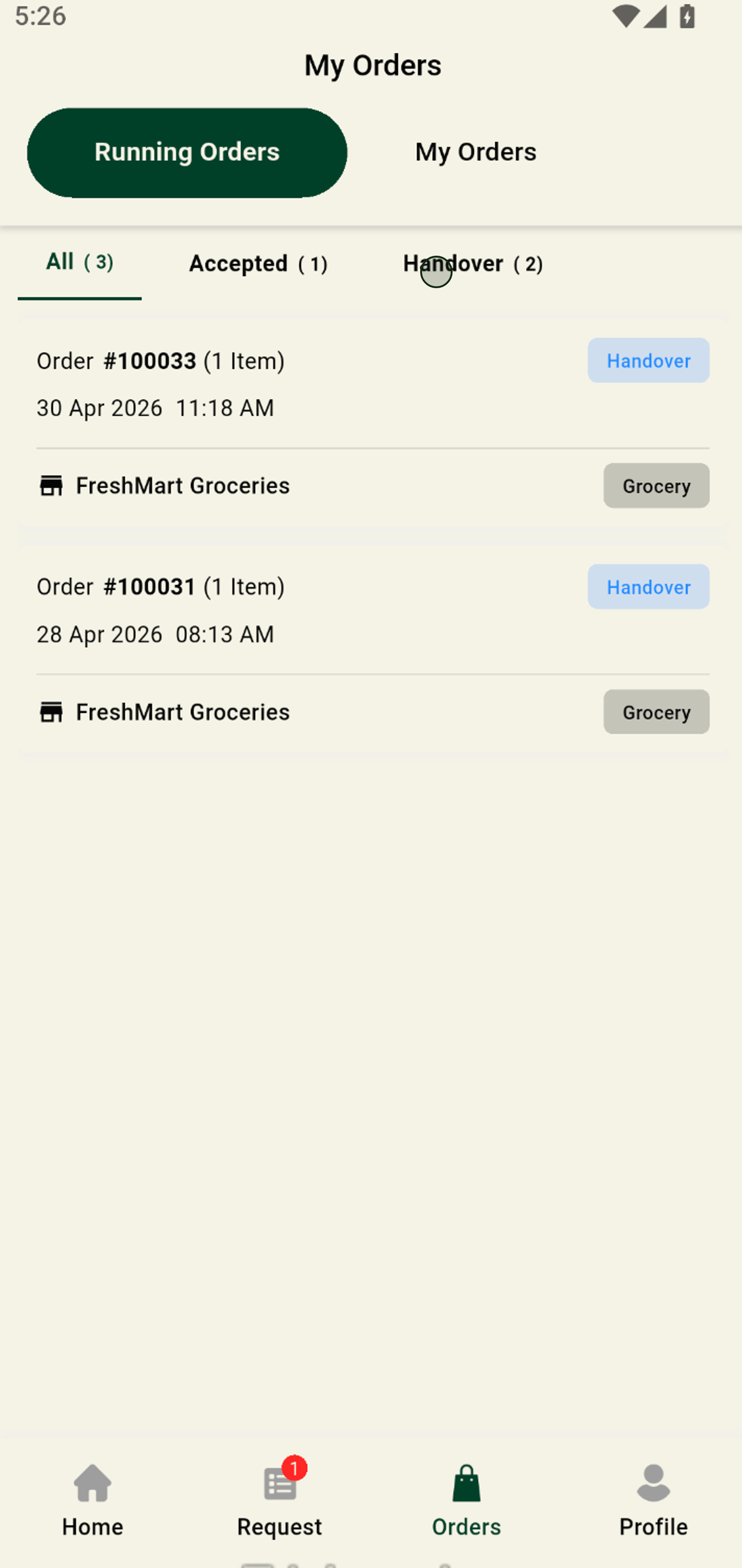
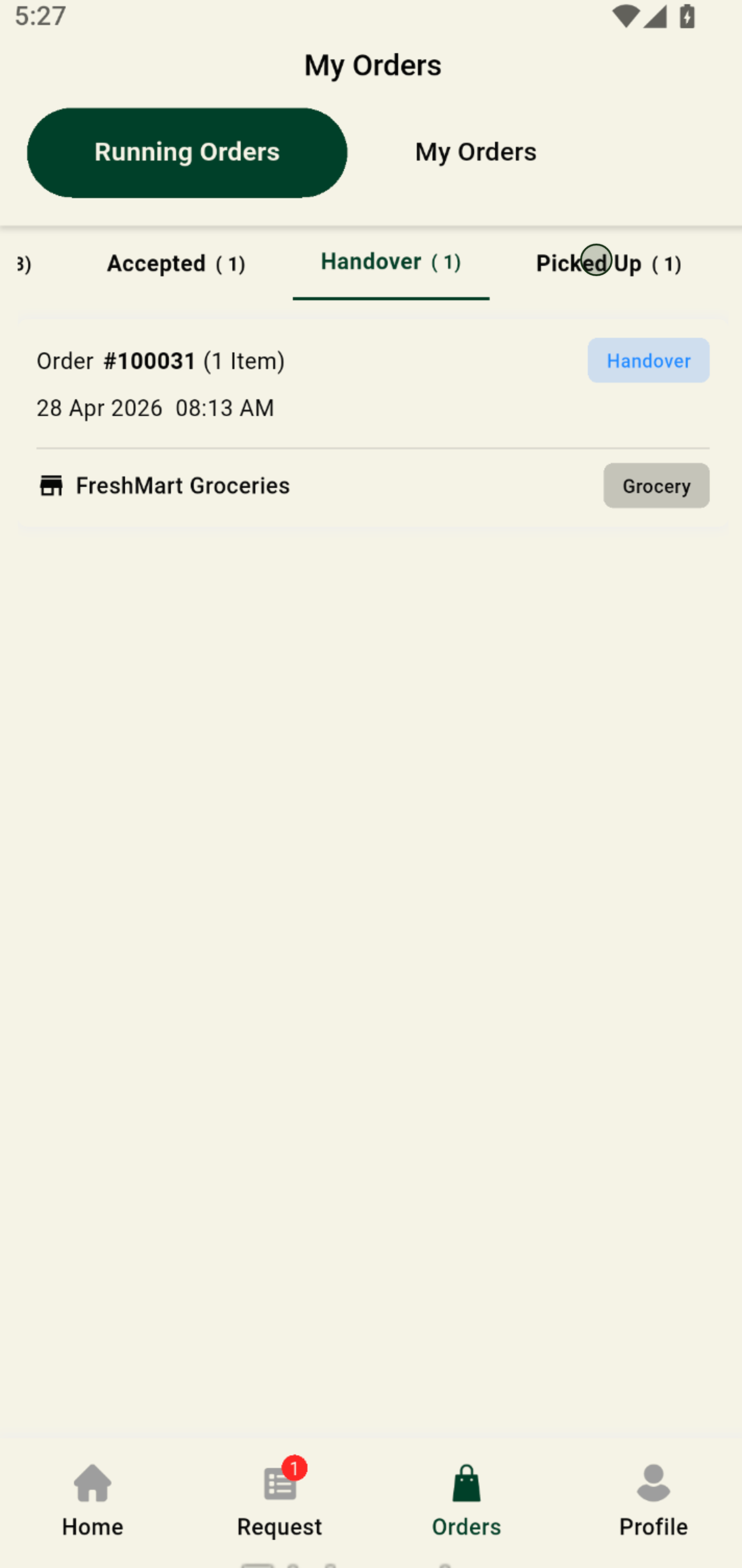
2. Switch to the Handover tab to view orders ready from merchants that are ready to be delivered to customers.
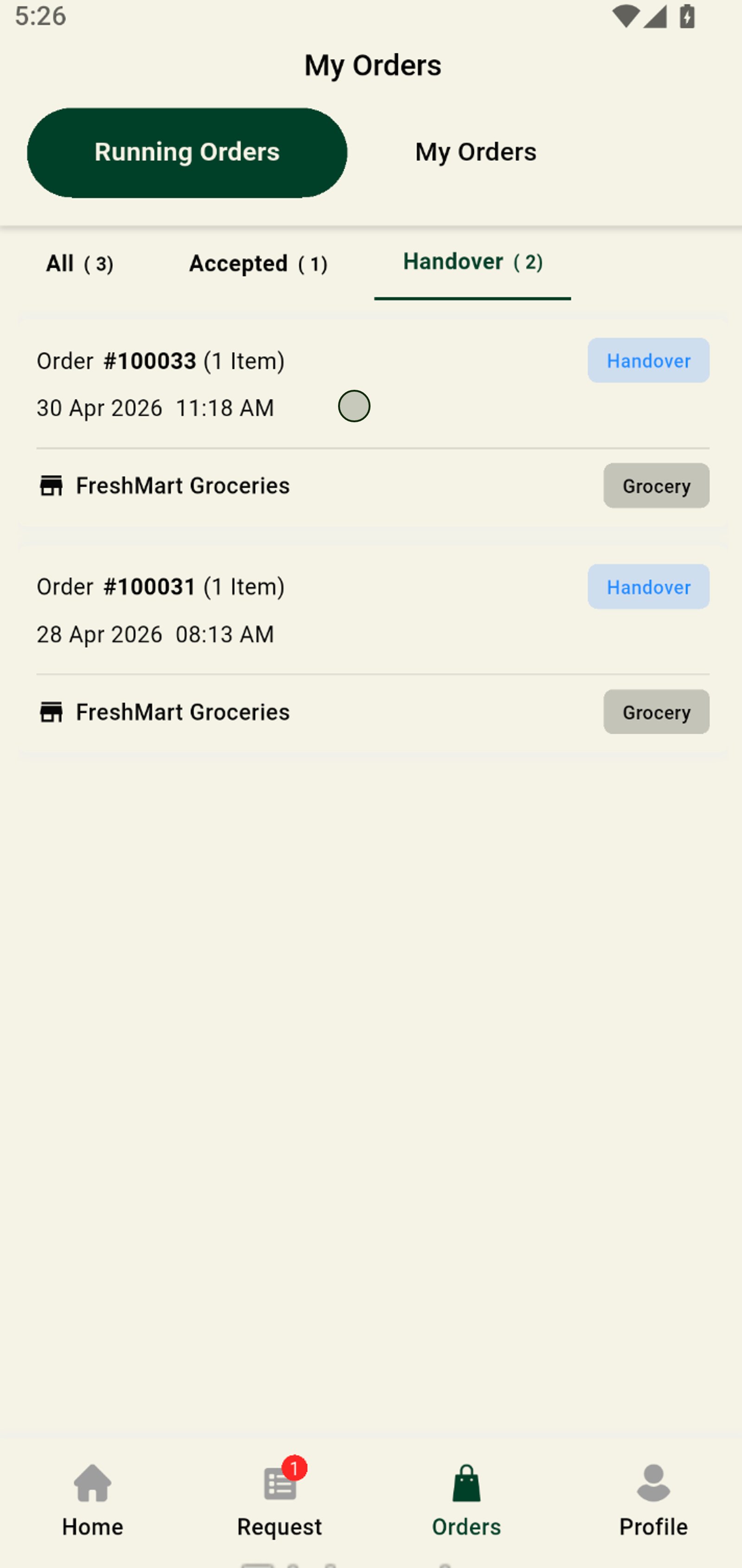
3. Tap Handover for the selected order to initiate the handover process.
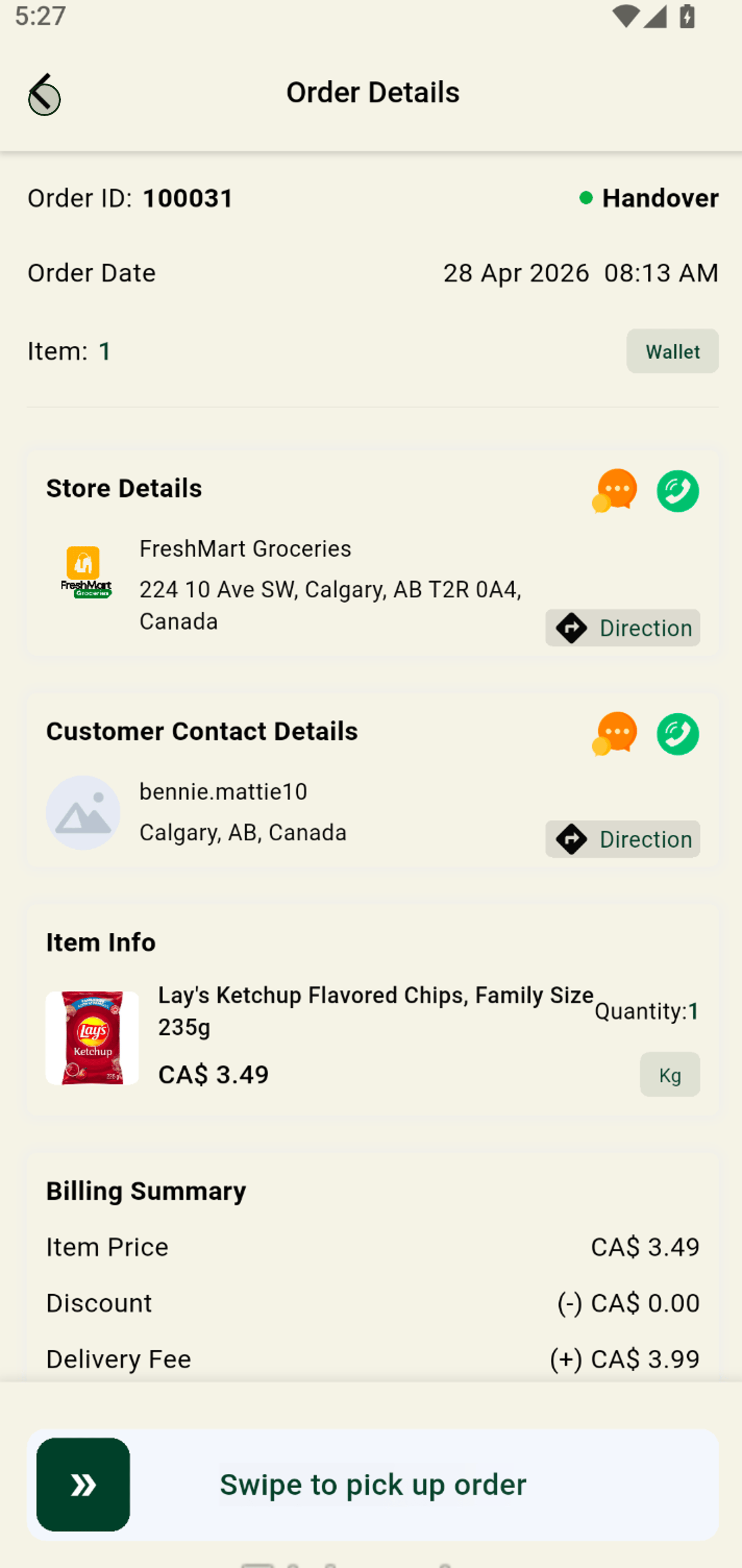
4. Swipe to pick up the order and receive all the details for a smooth delivery experience. the order will move from handover to pickup tab.
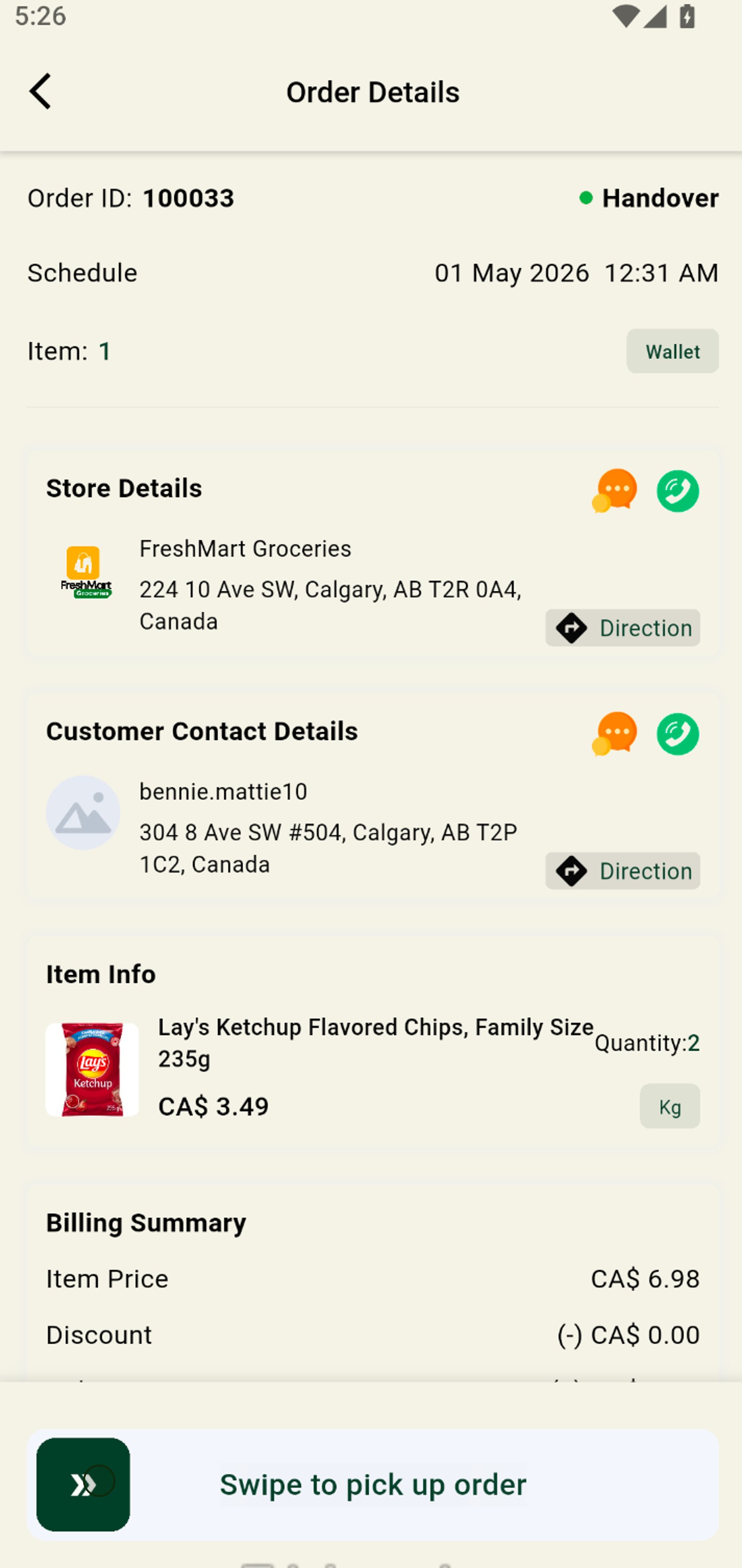
5. Use the back arrow to return to your order overview or previous step.
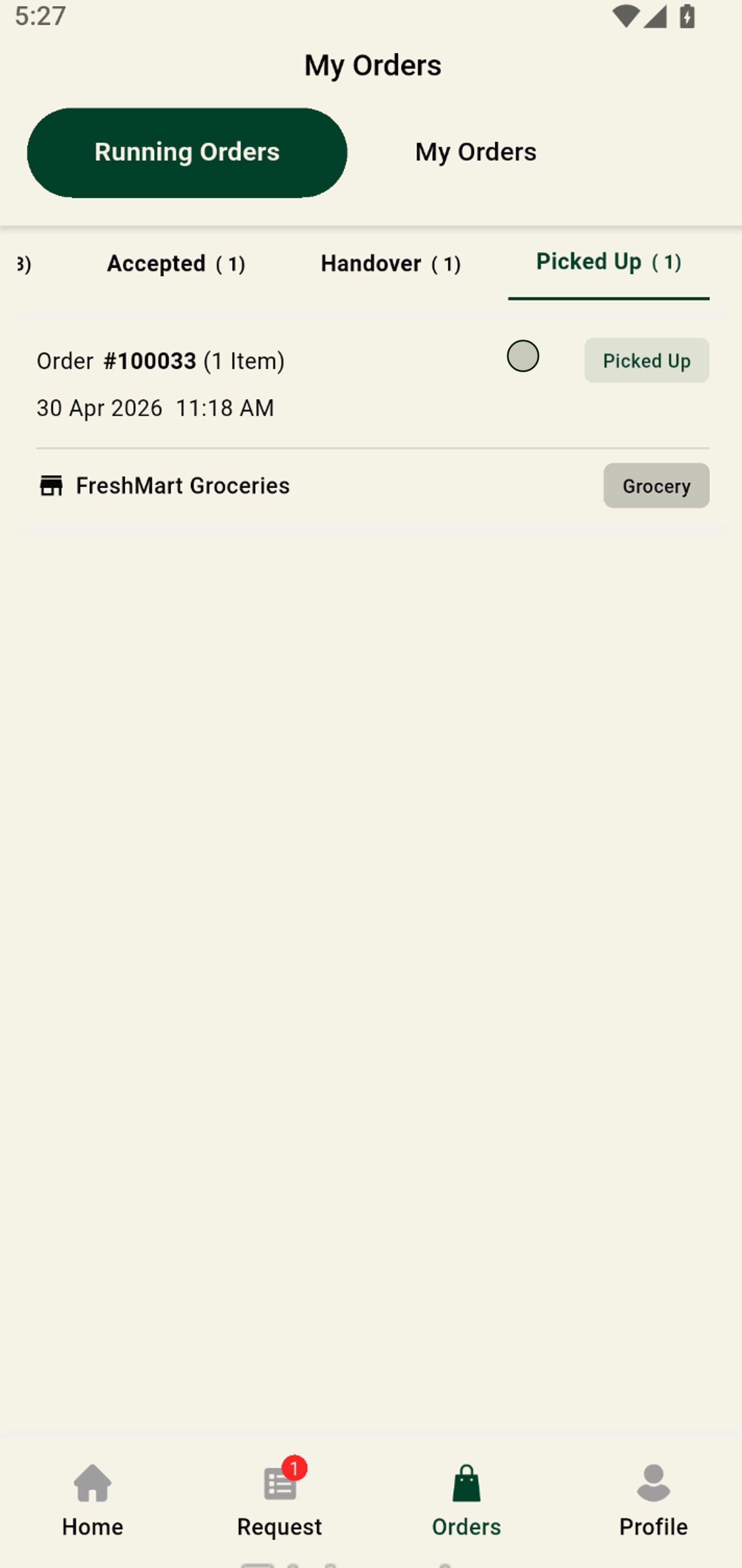
6. Switch to the Picked Up tab to review orders you've already collected to be delivered to customer.
7. See details for delivered orders and easily track delivery status.
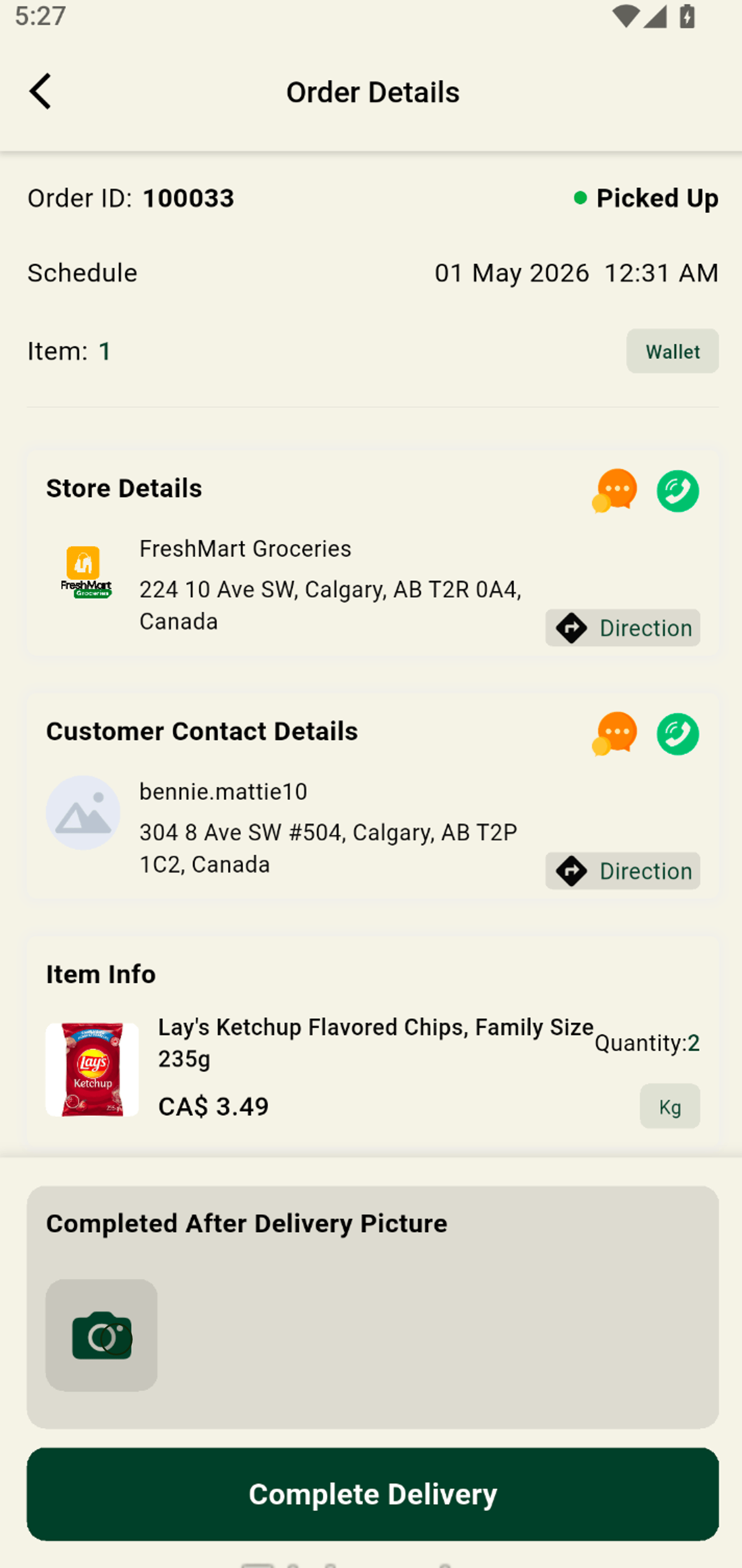
8. Click the camera icon to upload or snap a photo for proof of delivery.
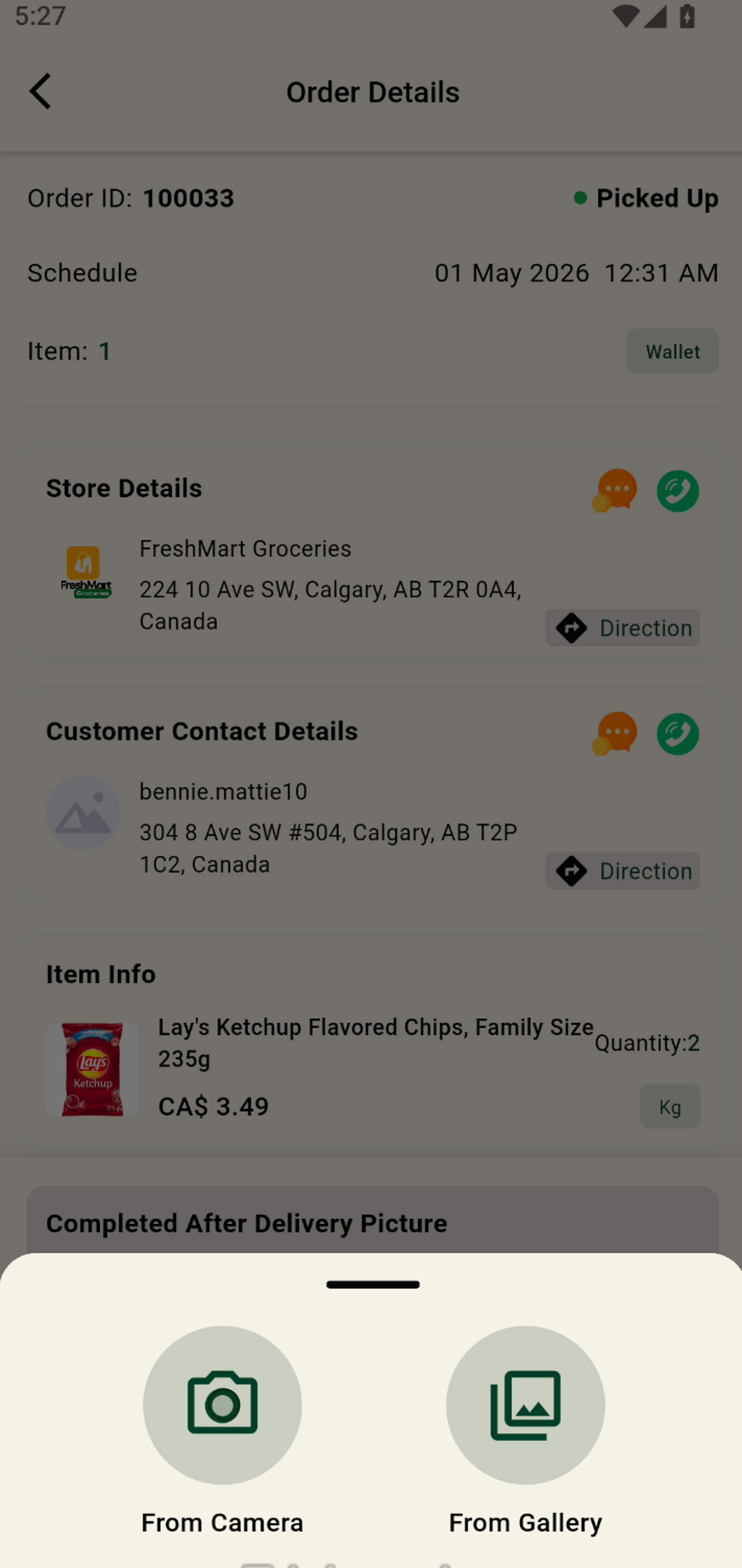
9. Choose From Gallery to or take a real-time photo for secure order confirmation.
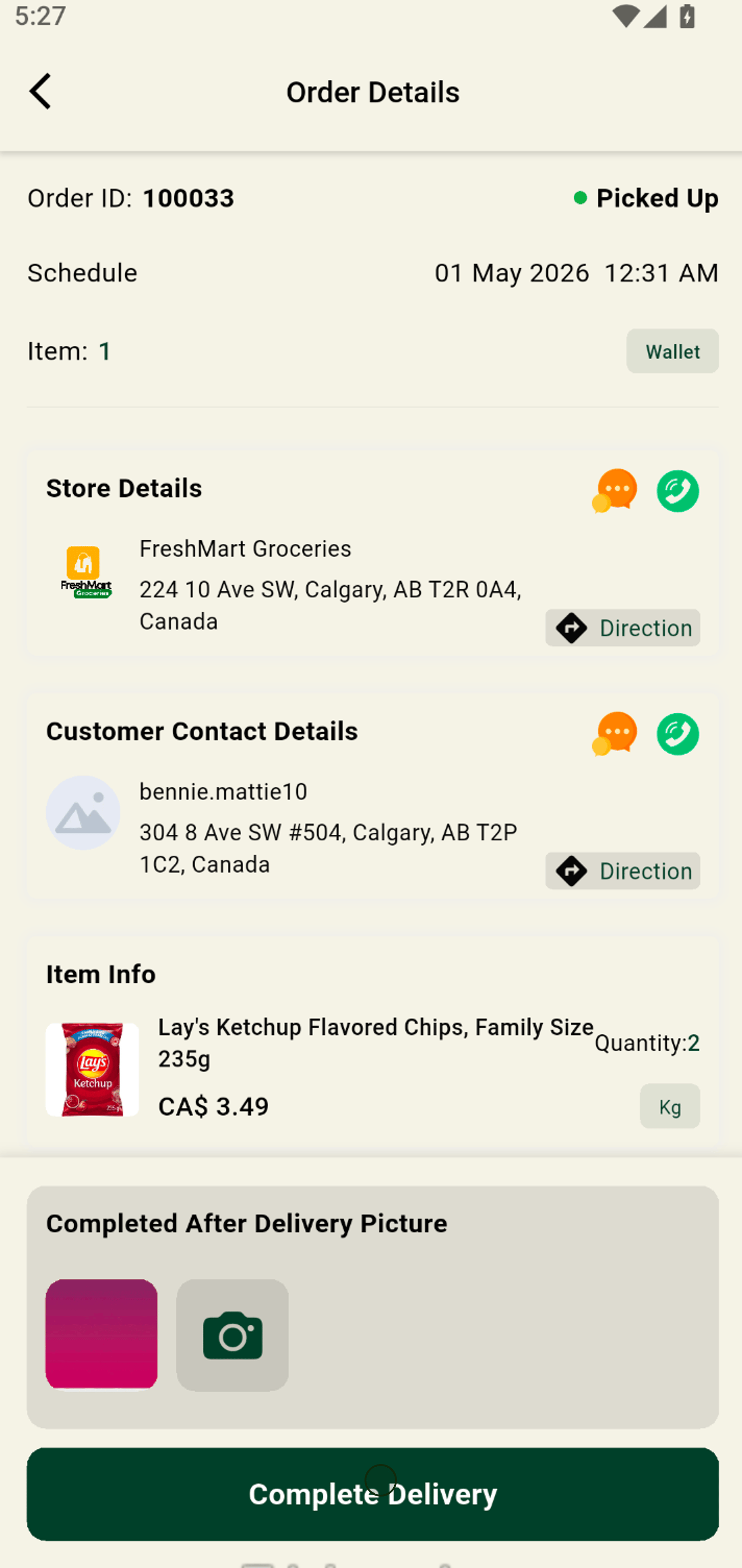
10. Tap Complete Delivery to officially mark your order as finished.
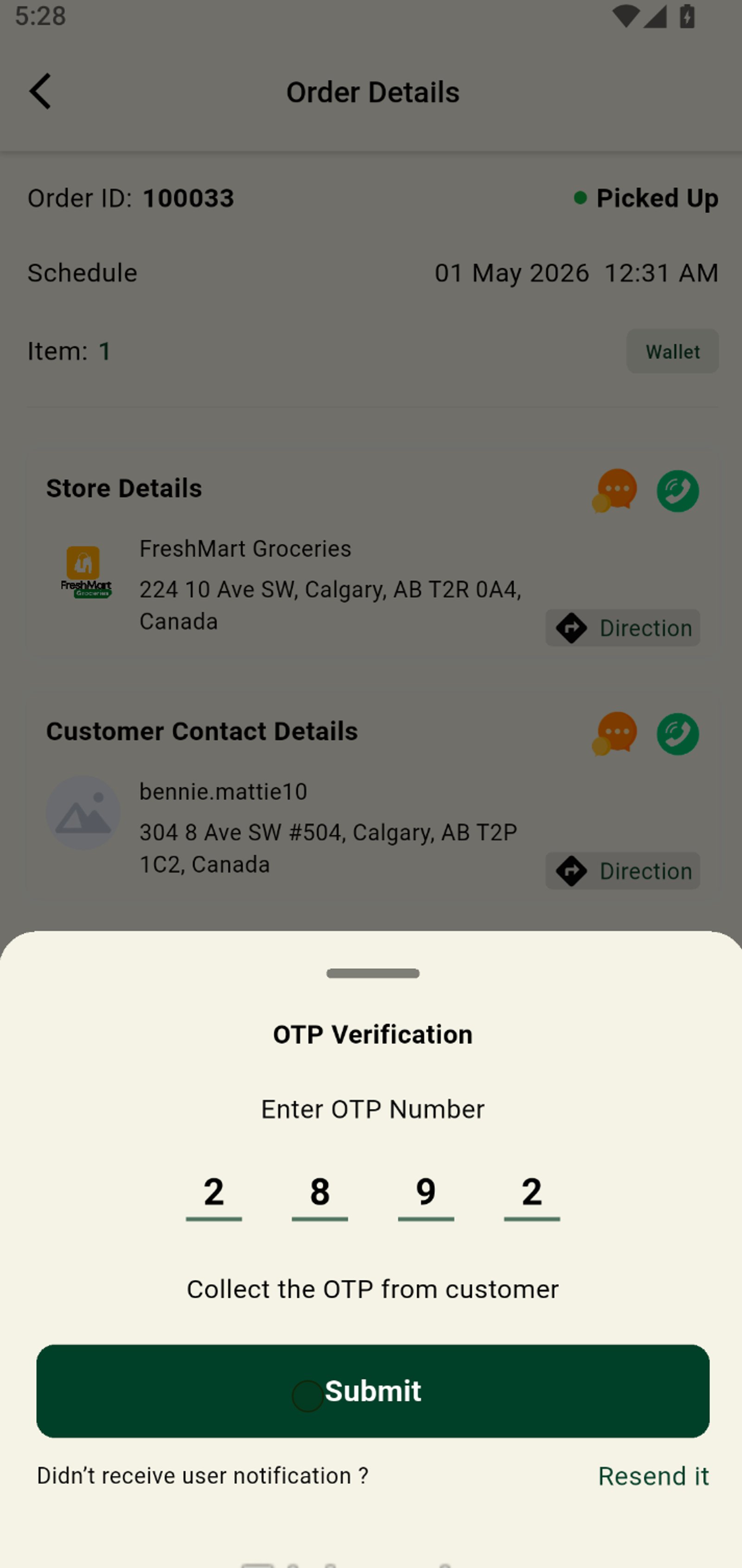
11. Enter the OTP from the customer for secure and verified delivery.
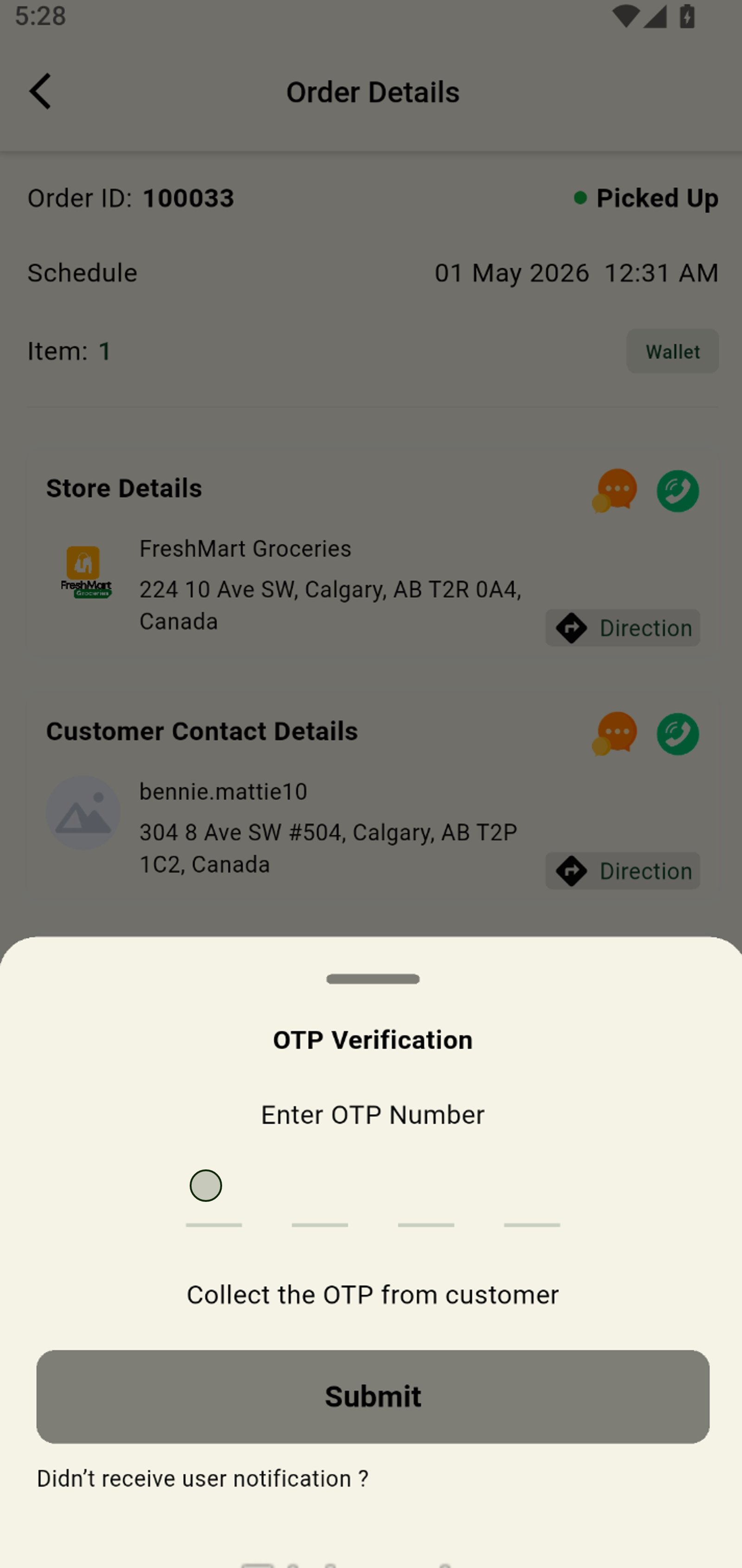
12. Press Submit to confirm OTP entry and finalize your delivery confirmation.