Accepting & Rejecting Orders Request
Grubdeli Delivery Rider App

Benjamin Mathew
Last Update hace 6 meses
Discover how to accept a new delivery assignment and confirm your participation in a few quick steps.
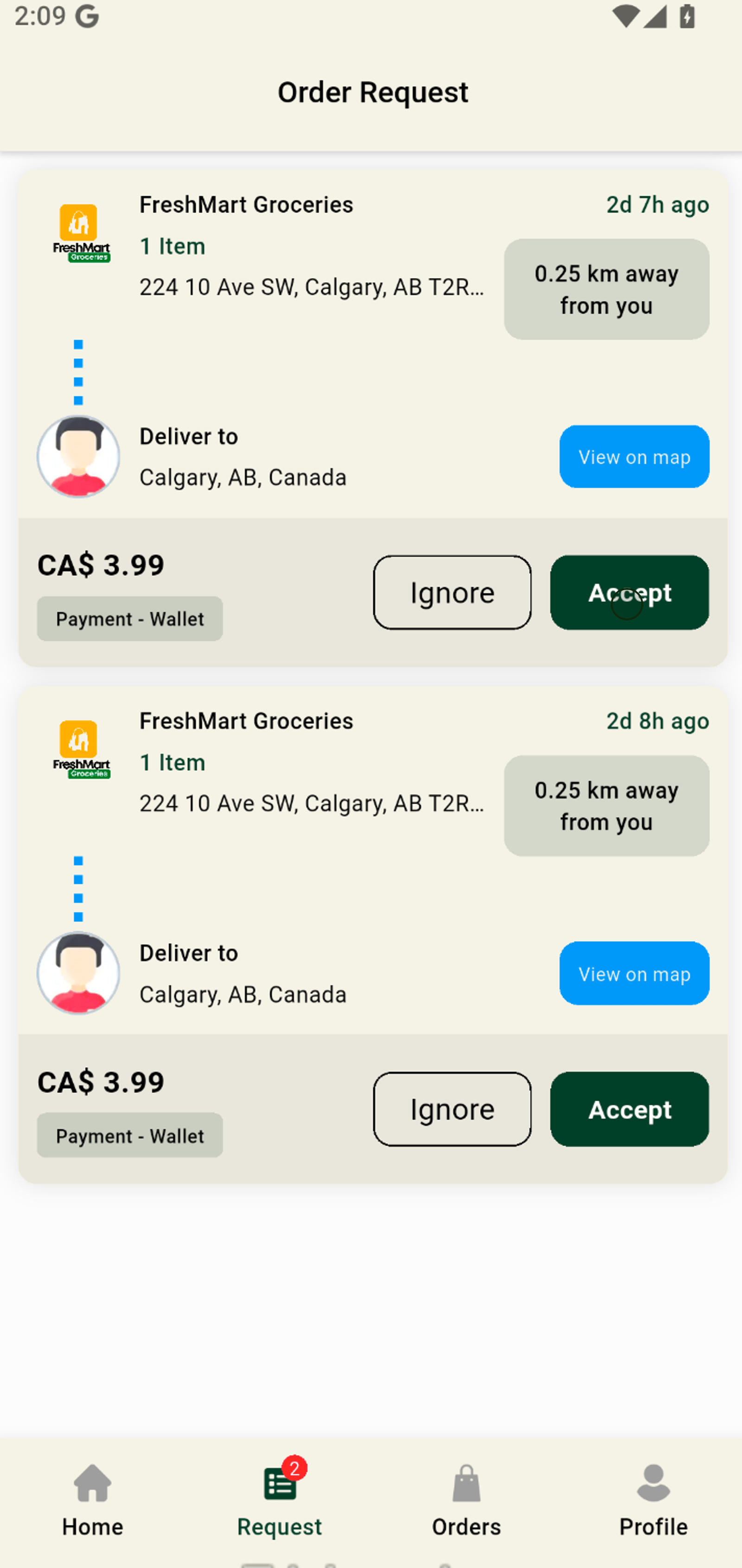
1. Switch to the Request tab and view all incoming delivery order requests easily.
2. Click Ignore or Accept to take on a new delivery and boost your earning potential.
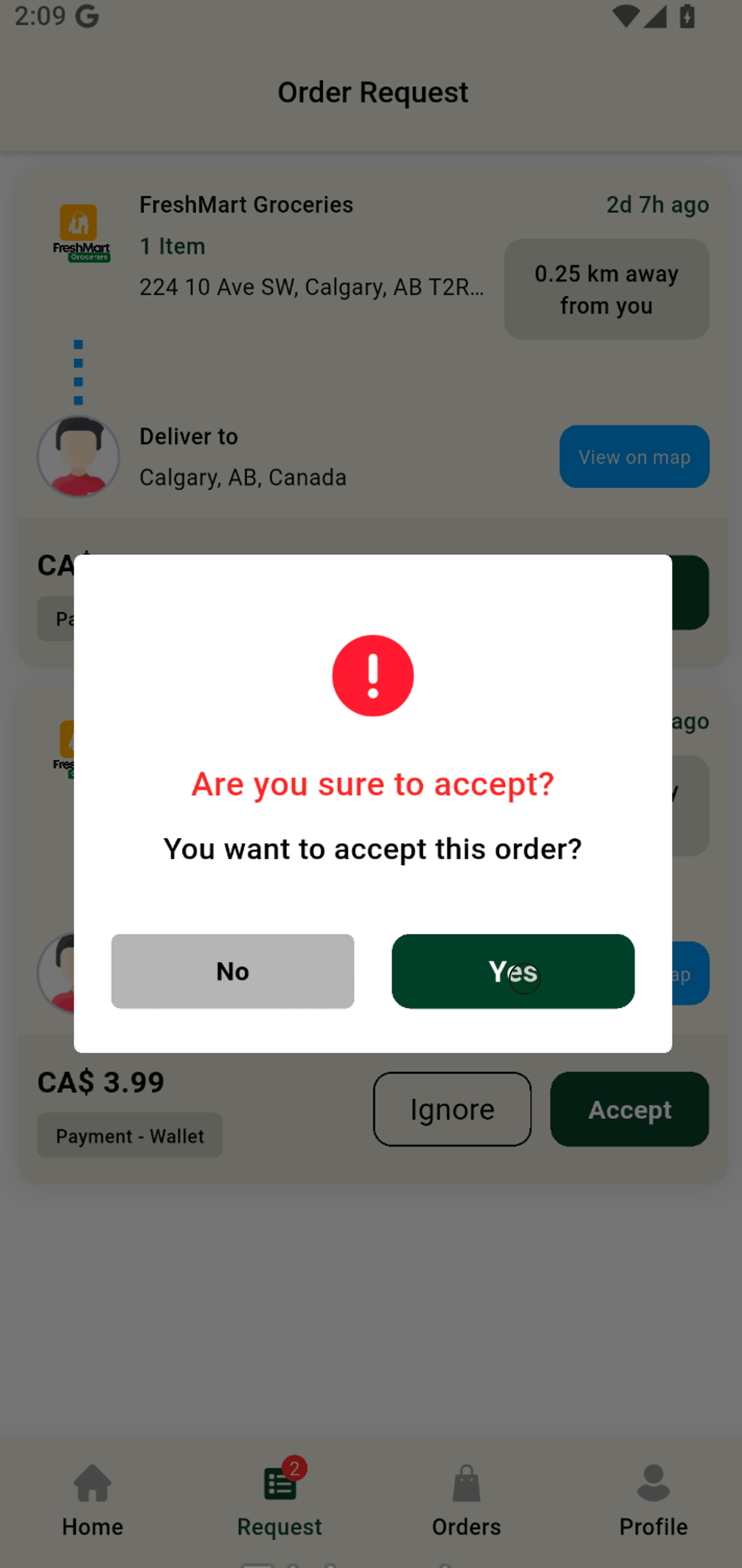
3. Confirm your choice by selecting Yes and lock in your next delivery order.