Receiving and Accepting Orders
Grubdeli Merchant App

Benjamin Mathew
Last Update 6ヶ月前
Step-by-step process of handling incoming orders, confirming them for preparation, and, updating their status to keep customers informed.
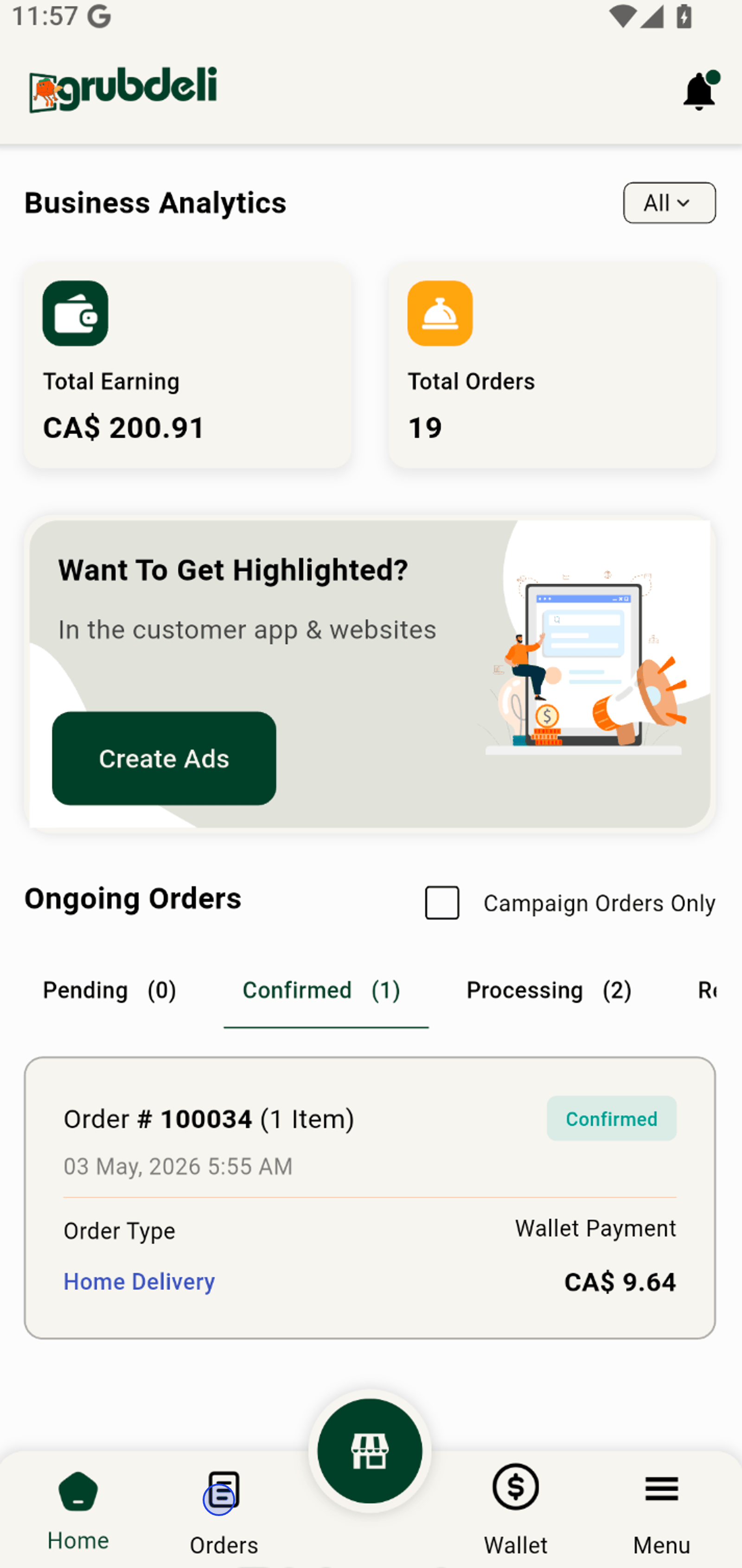
1. Tap the 'Orders' icon to access all your orders from one convenient place.
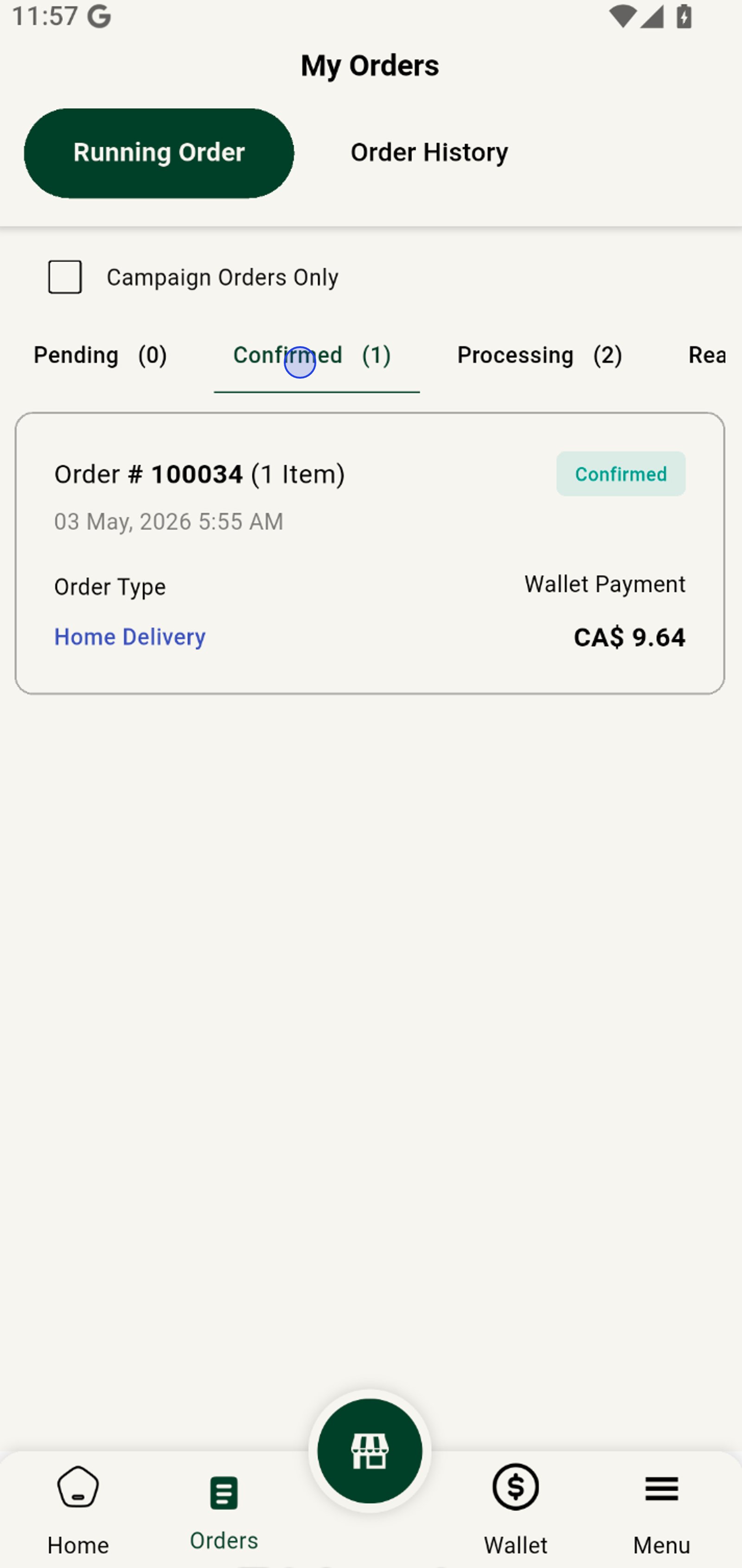
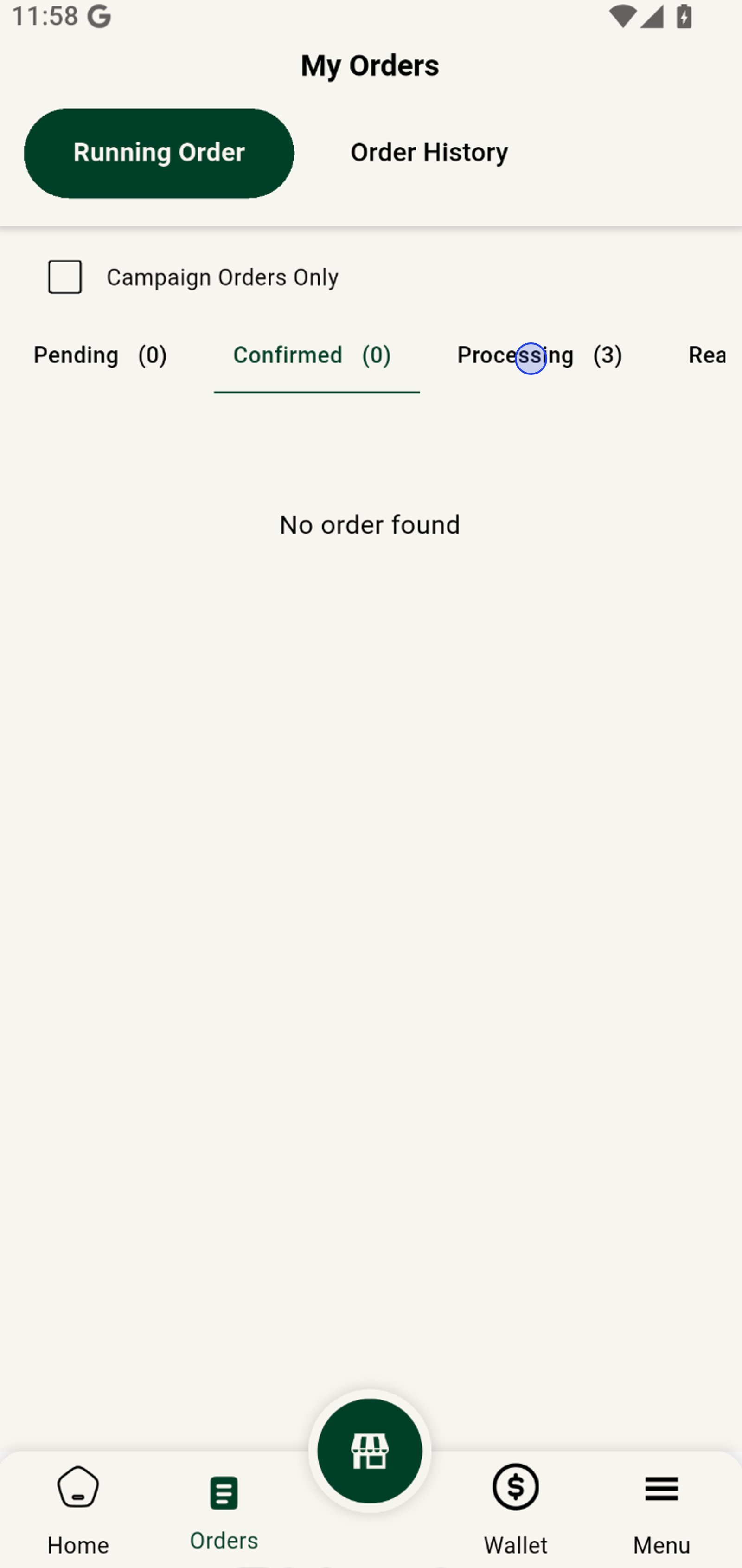
2. Switch to 'Confirmed' to instantly filter confirmed orders only.
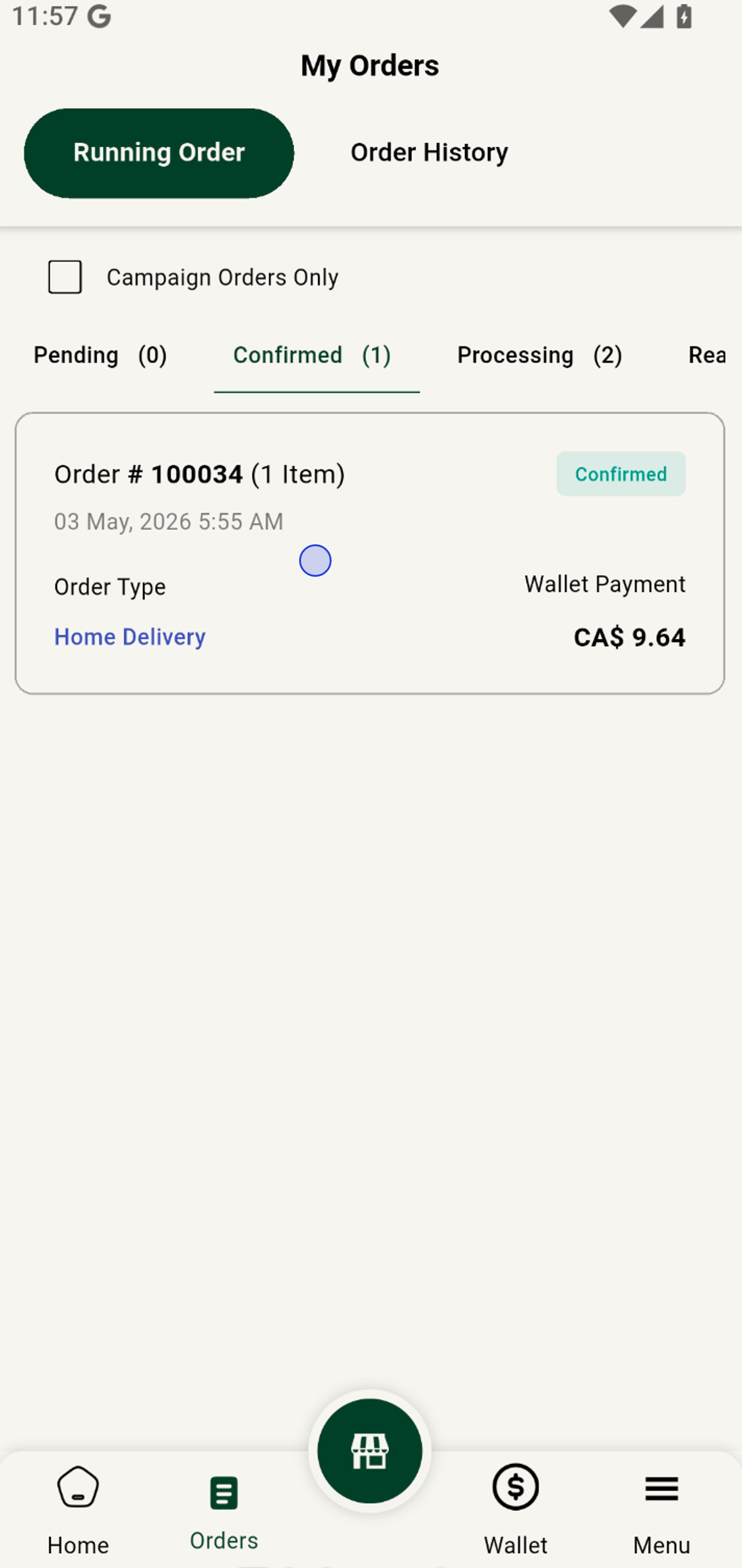
3. Click Confirm Order to view order details
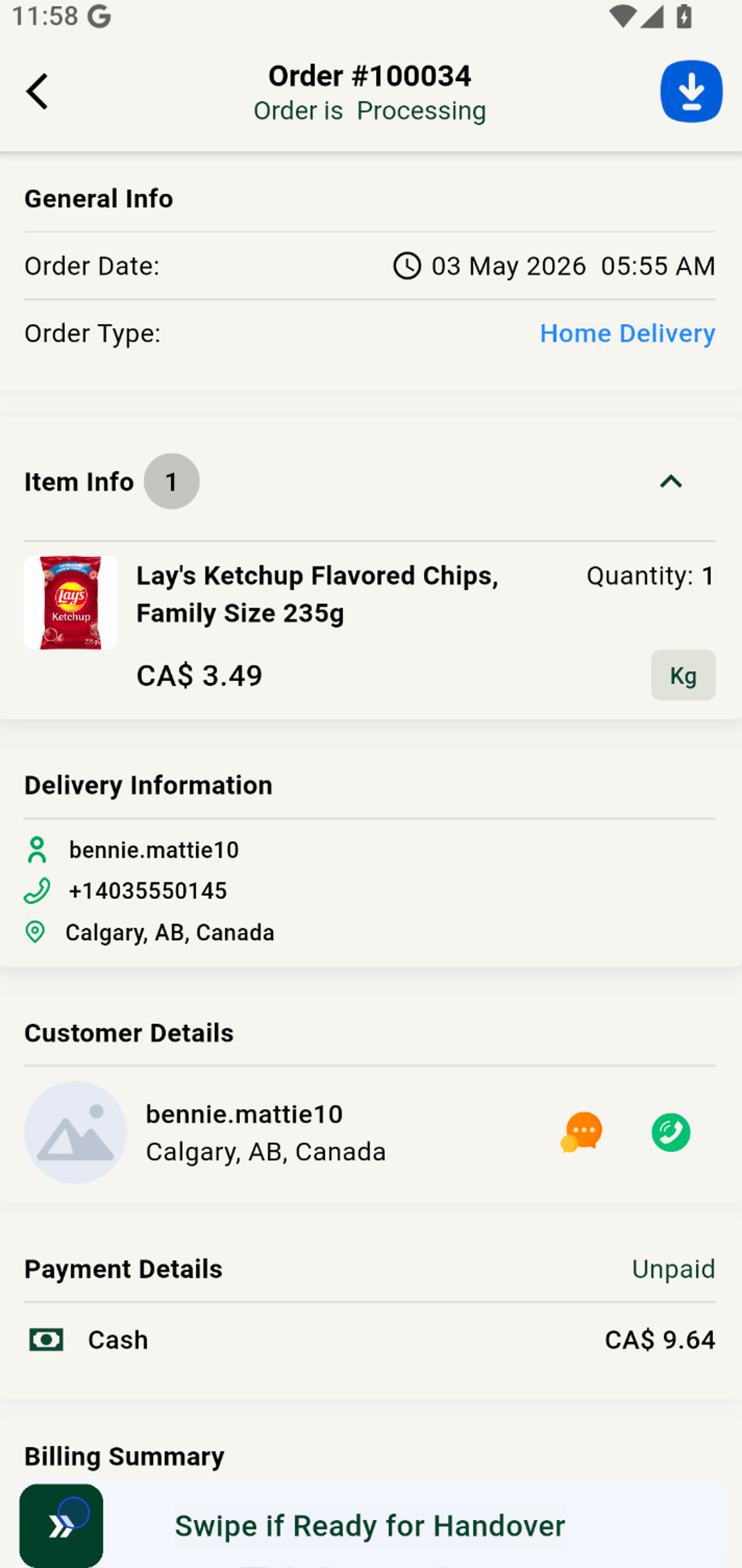
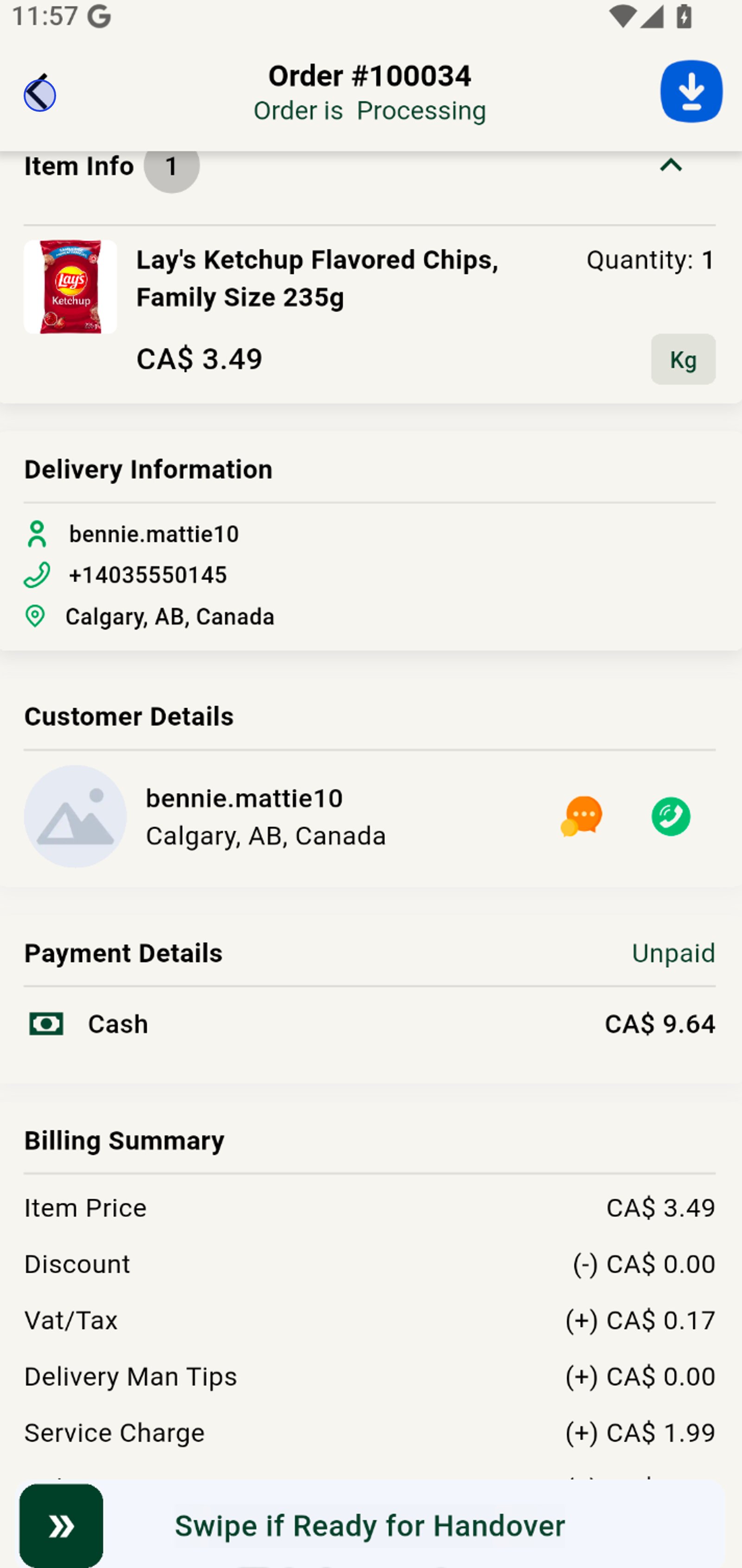
4. Swipe to process the order, or begin preparing it.
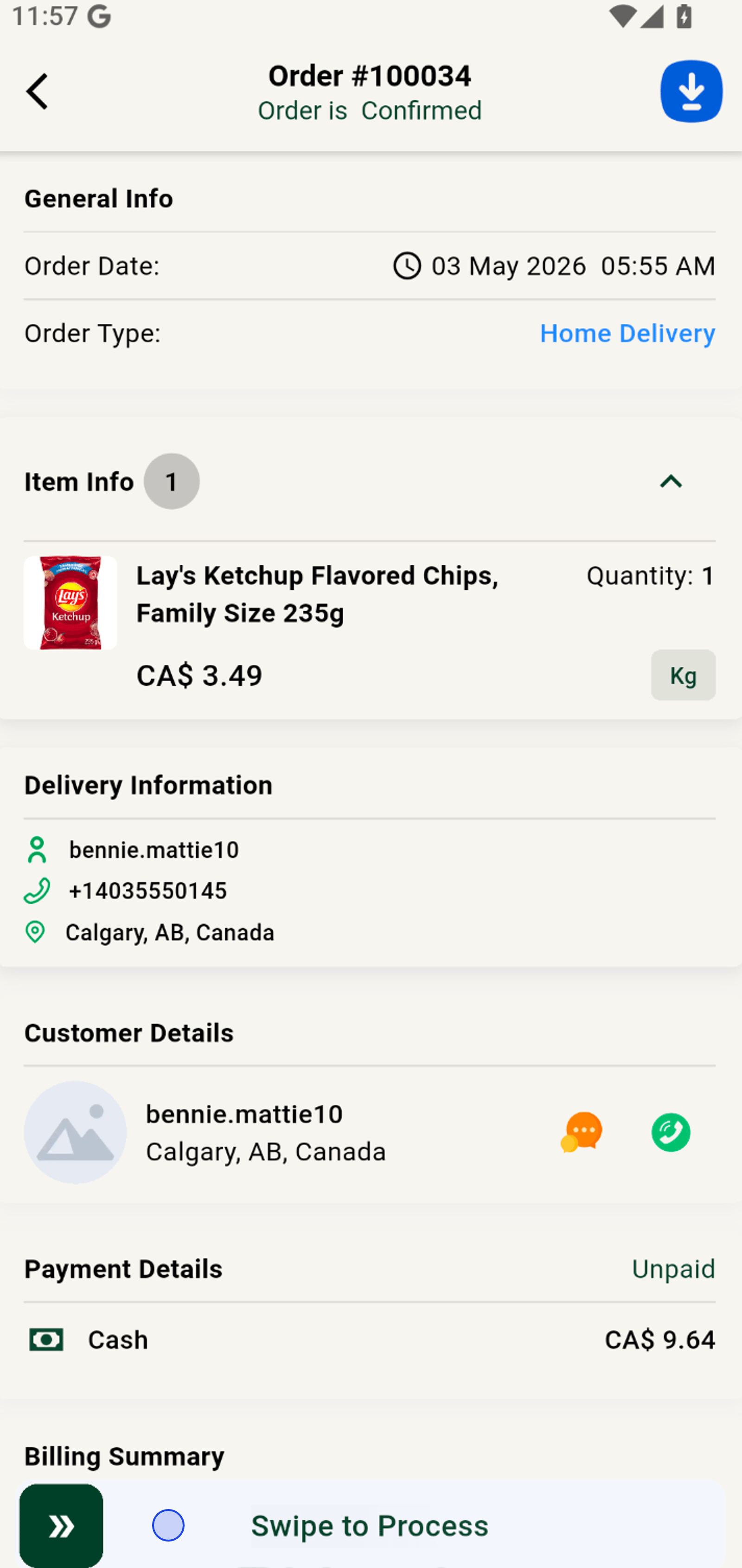
5. Hit the back arrow to return to your full order running order list.
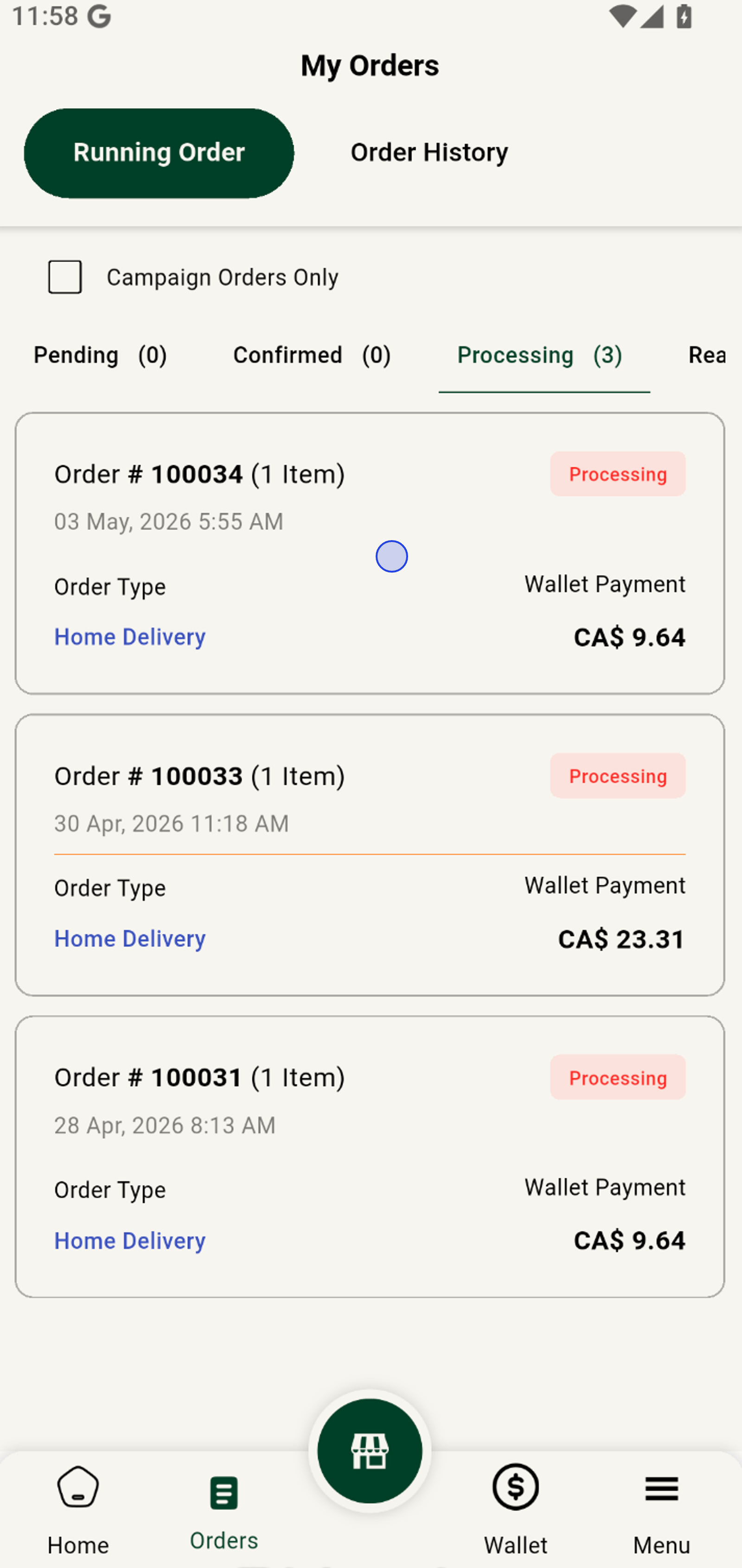
6. Switch to the 'Processing' tab to track orders in progress.
7. Select an order to view every detail and manage efficiently.
8. Now swipe Ready for Handover to trigger the delivery agent pickup.